27 Lecture 9 Handouts
Creating dashboards in R
27.1 Today’s session
Intro to Shiny and ShinyDashboard
Creating dashboards in R
27.2 Today’s learning objectives
- Understand the Shiny App Structure
- Recall the different options within ShinyDashboard
- Create a basic dashboard in R
27.3 - Intro to Shiny and ShinyDashboard
27.3.1 What is a shiny app
- Shiny apps allow you to build interactive and reactive visualisations
- Interactive: an element reacts to the user actions (e.g. showing text on hover, highlighting on hover)
- Reactive: data is updated from the server without refreshing (e.g. filtering)
27.3.2 How do we make a shiny app
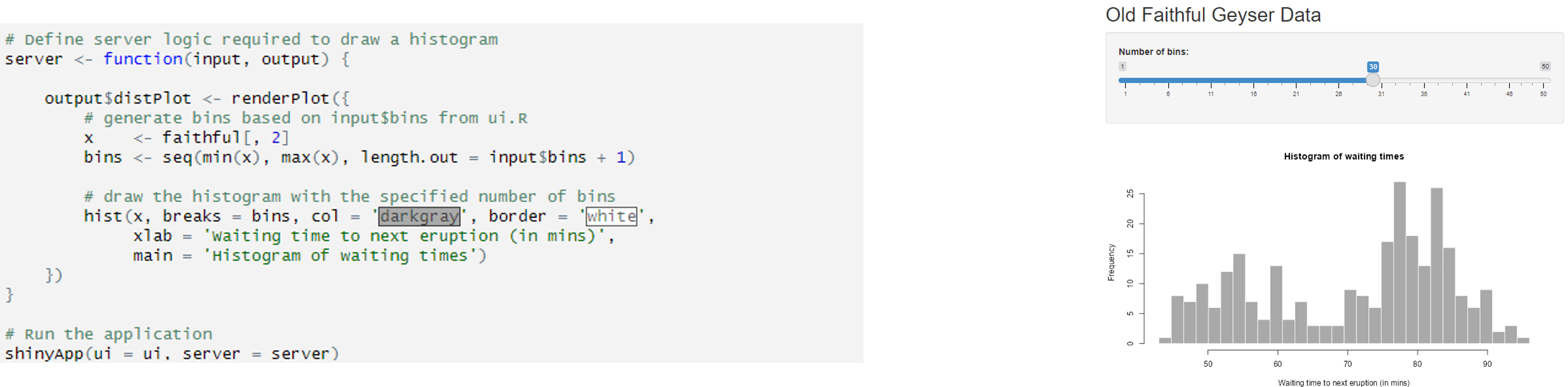
- Shiny is build up out of three components:
A user interface (UI)
A server function
A shiny app call
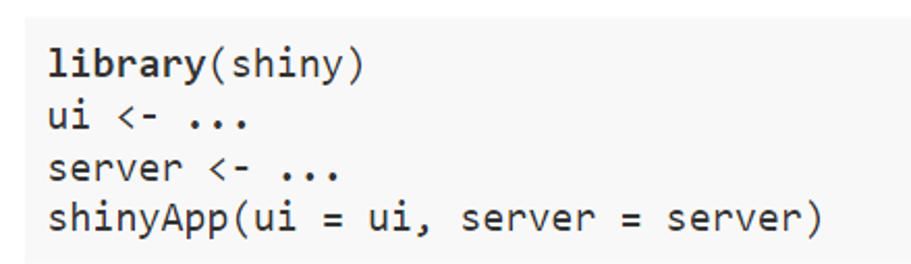
27.3.3 How do we make a shiny app
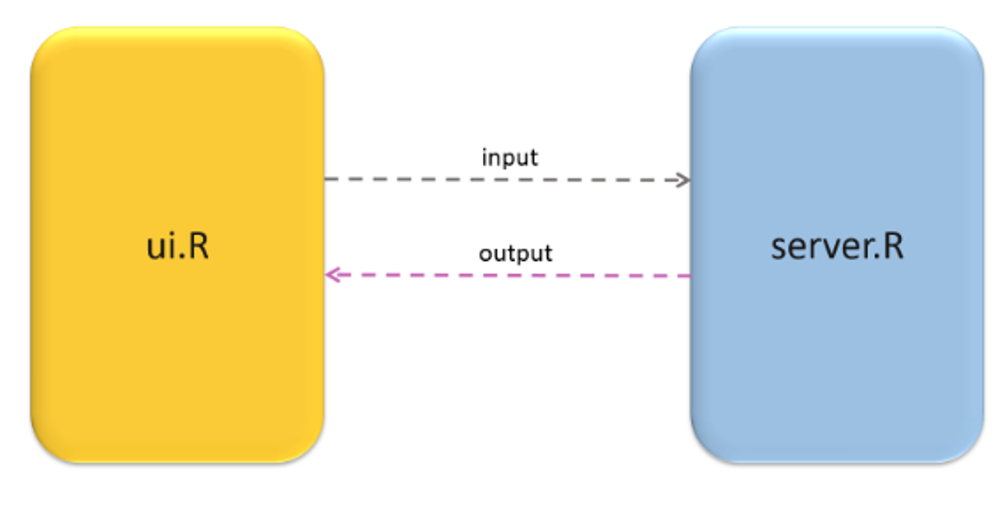
27.3.4 How do we make a shiny app
- When creating an app, best to create a new project and choose Shiny Web Application
- Automatically creates basic structure for your shiny app.
27.3.5 How do we make a shiny app
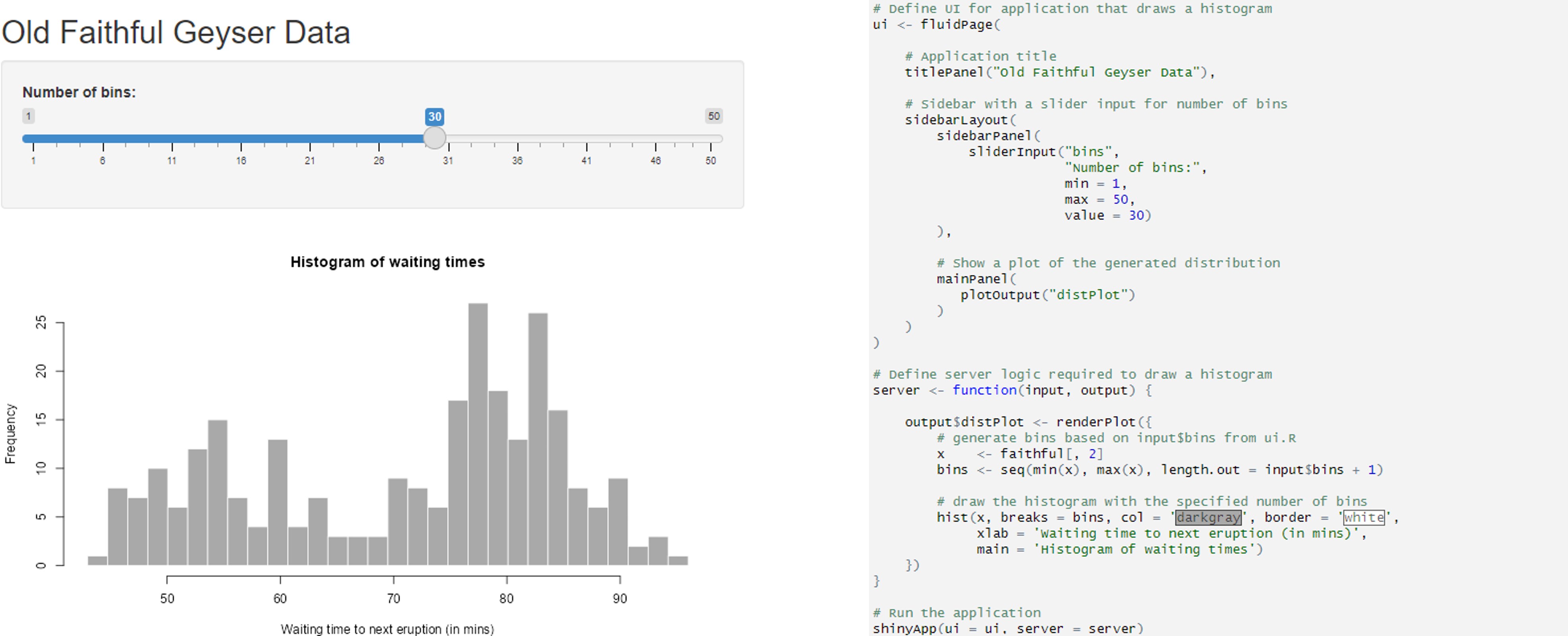
27.3.6 How do we make a shiny app
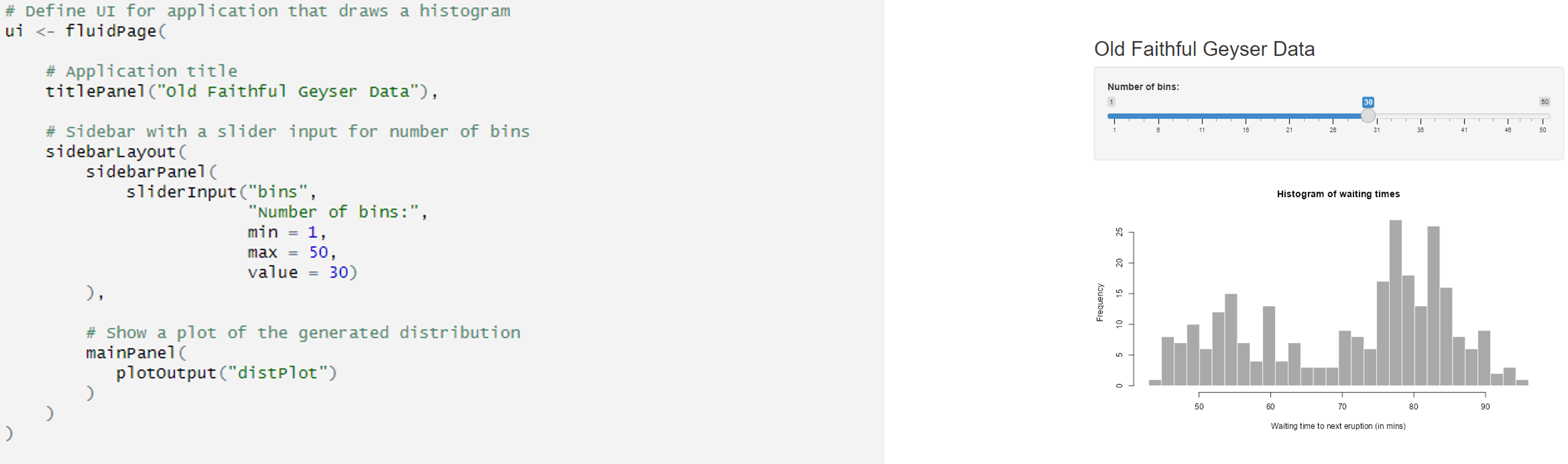
27.3.7 How do we make a shiny app
27.3.8 What is a Shiny dashboard
- A graphical interface made up out of a collection of shiny apps.
27.3.9 Why do we use bslib to create dashboards
- Relatively easy to use
- You do not need HTML or CSS
- Allows interactivity and reactivity
27.3.10 Starting
- Think about the layout of your dashboards
- Think about what kind of interactivity you want to add
- Still start by creating a new project and select shiny web application
- Code can be adjusted but it provides you with basic structure
27.3.11 Example structure of bslib dashboard
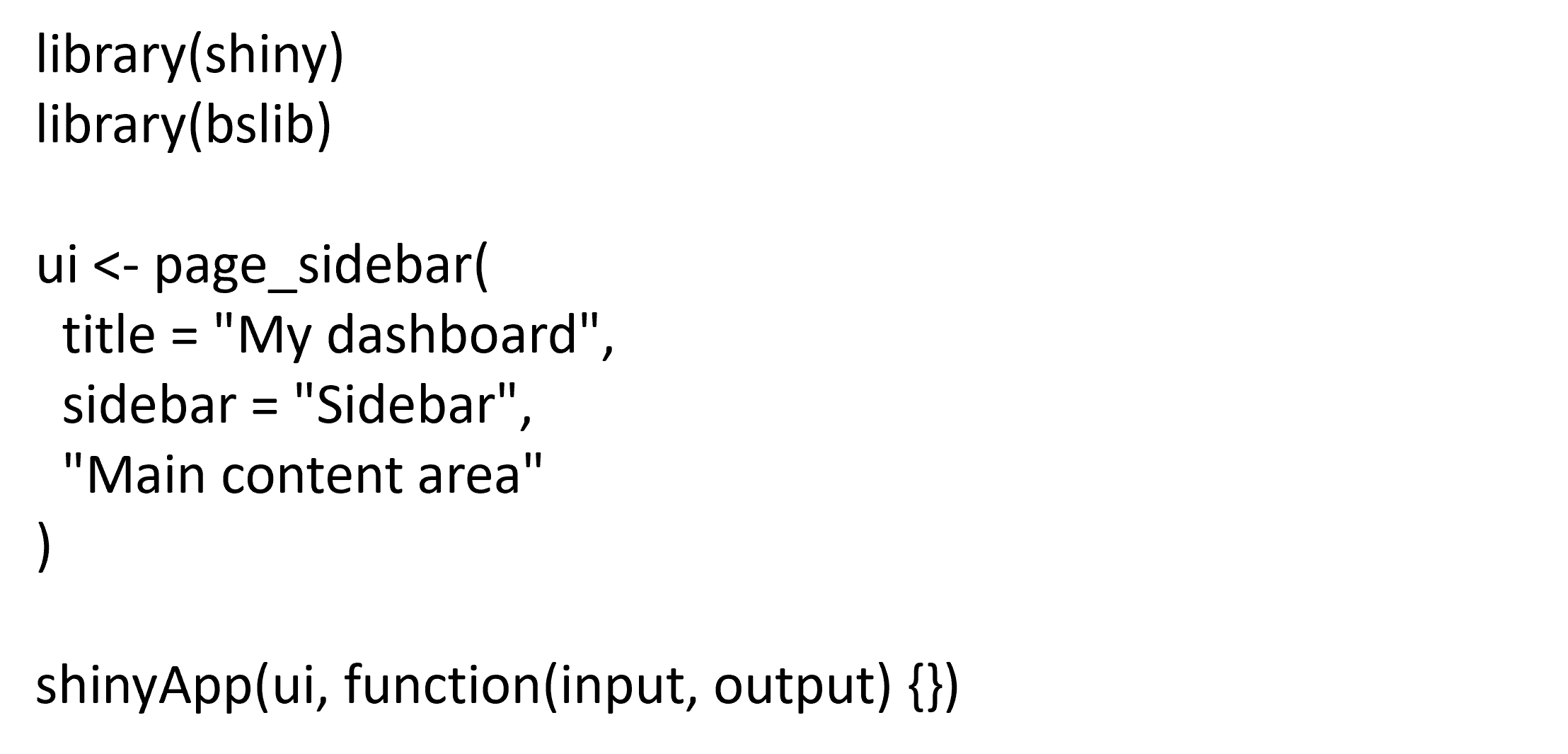
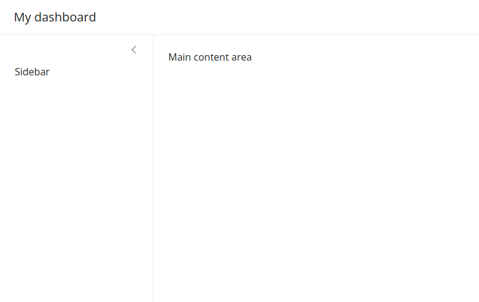
27.3.12 Structure detail
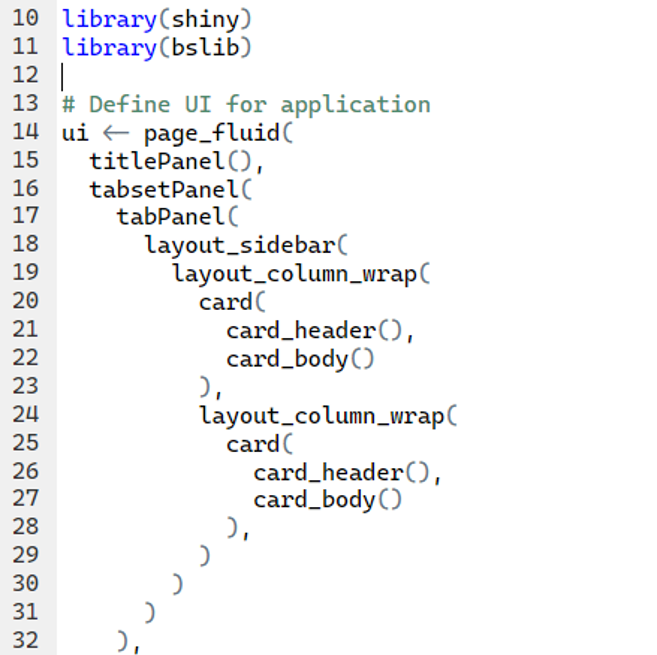
- Title (titlePanel): This adds a title to your app which is visible on all tabs/pages
- Main Interface Layout (tabsetPanel and tabPanel): This organizes the app into tabs
- Sidebar Layout (layout_sidebar): This function creates a sidebar layout, which typically includes a sidebar for inputs and a main area for outputs.
- Column formatting (layout_column_wrap): The layout_column_wrap() function is used within the main area of layout_sidebar() to create a responsive grid layout for UI elements. This function helps arrange content in a structured and visually appealing manner, making it easy to navigate.
- Cards and Content Layout: Each main content section is wrapped in a card() which contains a card header and card body.
27.3.13 More info
https://rstudio.github.io/bslib/index.html